Install DaVinci Resolve on EVERESTGAMES Cloud PC
The world of Media and Entertainment runs on creativity.
But behind the scenes, creatives have long been held back by location. Creative talents are spread across the worls, and traditional on-site systems simply can’t keep up with modern-day demands of video editing.
That’s where the right kind of cloud technology comes in. By removing the limitations of traditional on-premise setups, cloud tech offers production teams a new level of creative freedom, speed and efficiency.
With the magic of cloud video editing, your team can collaborate from anywhere, on any device with internet access. Instead of relying on local talent, this opens the door to a global pool of creatives.
It’s no wonder cloud-based editing is becoming the new standard, whether you’re producing live news, social media content, feature films or TV series. In this article, we’ll explore what cloud video editing is and how you can deploy DaVici Resolve on the cloud for taking your production to the next level.
What is cloud video editing?
Cloud video editing refers to workflows that use the cloud rather than on-premise infrastructure.
With the right software, cloud-based video editing includes tools installed on virtual machines and performing the editing workflow.
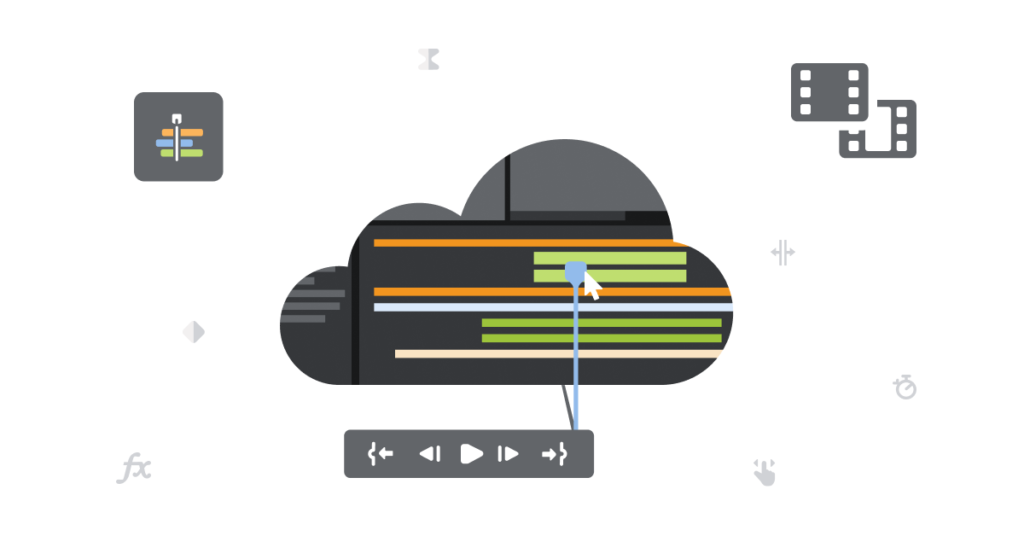
Cloud workflows reduce the friction typically found in legacy on-prem facilities, lowering the learning curve for new users, reducing costs, and simplifying how content is distributed. Editing in the cloud also enables producers to easily scale their projects and empower team members to collaborate from anywhere in the world.
The 4 benefits of cloud video editing
Collaborate remotely
The most immediate benefit from editing in the cloud comes with collaboration. Cloud-based systems are inherently accessible from anywhere in the world. This opens up both hybrid and fully remote workflows for editing teams. Whether creatives are in the office or working remotely from various locations and time zones, workflows become seamless when files are continuously synced and instantly accessible from cloud storage.
Save money
With no hardware investment, you will find less need for IT management and therefore less daily financial overhead. Switching to cloud-based video editing and taking advantage of cost-effective media cloud storage can see your operational costs reduce by a staggering 80 percent.
Optimize post-production workflows
Cloud-based infrastructure does the heavy lifting for you, and instantly provides access to huge media assets, videos, images and animations.
Any creative, regardless of their location, can perform editing and heavy duty post-production work directly from the cloud. With EVERESTGAMES, editors can even render directly to another workstation or a virtual machine, eliminating render waiting times from their workflow.
Immediate feedback
With cloud video editing, multiple people are able to view and share time coded, synced video. There’s no need to wait for files to download so notes can be addressed quickly streamlining your productivity.
Why DaVinci Resolve on Cloud?
There are lots of cloud-based collaborative video editing software solutions to choose from.
Blackmagic Design DaVinci Resolve tends to be favored by professionals in the media and entertainment industry because of their full suite of features and widespread global user base.
DaVinci Resolve has been developed to have many of their features accessible through a web browser. All of the processing required to power these tools are performed by virtualized hardware based in the cloud.
This type of cloud video editing software is termed ‘cloud-native’ and is different from ‘cloud-based’ video editing tools which are generally those which began life as desktop NLEs.
Installation Guide
First step is to get the correct plan on EVERESTGAMES and subscribe to a CloudPC instance on the cloud.
Recommended EVERESTGAMES Plan
👑 Gold Plan
or higher for 4K editing workflows
Next you can connect to the CloudPC instance by following this guide.
Once connected, the next steps are very simple.
Step 1: Download DaVinci Resolve Studio
- Visit the Blackmagic Design website
- Click "Download" and select "DaVinci Resolve Studio"
- Choose "Linux" as your operating system
- Download the latest version.
Step 2: Prepare Installation Directory
Create a dedicated folder for the installation:
# Create installation directory
mkdir -p ~/davinci-install
cd ~/davinci-install

# Move downloaded file here
# (Assuming you downloaded to Downloads folder)
mv ~/Downloads/DaVinci_Resolve_*.zip ./
Step 3: Extract the Installation Files
Use the terminal to extract the downloaded zip file:
# Extract all zip files in the directory
for f in *.zip; do
  unzip "$f" -d "${f%.zip}"
done

# List contents to verify extraction
ls -la
Step 4: Install DaVinci Resolve Studio
Navigate to the extracted directory and run the installer:
# Change to extracted directory
cd DaVinci_Resolve_*

# Run the installer with package check skip
sudo SKIP_PACKAGE_CHECK=1 ./DaVinci_Resolve_*_Linux.run
The installation will take several minutes. Follow the on-screen prompts to complete setup.
Next Steps
Now that DaVinci Resolve is installed, you can:
- Connect via streaming for remote access
- Learn about color grading techniques
Support Resources
- DaVinci Resolve Documentation: Official User Manual
- Blackmagic Forum: Community support and tutorials
- EVERESTGAMES Support: Contact us for cloud-specific optimization
Need help with installation or have questions about cloud video editing? Check our Contact page or contact support.